
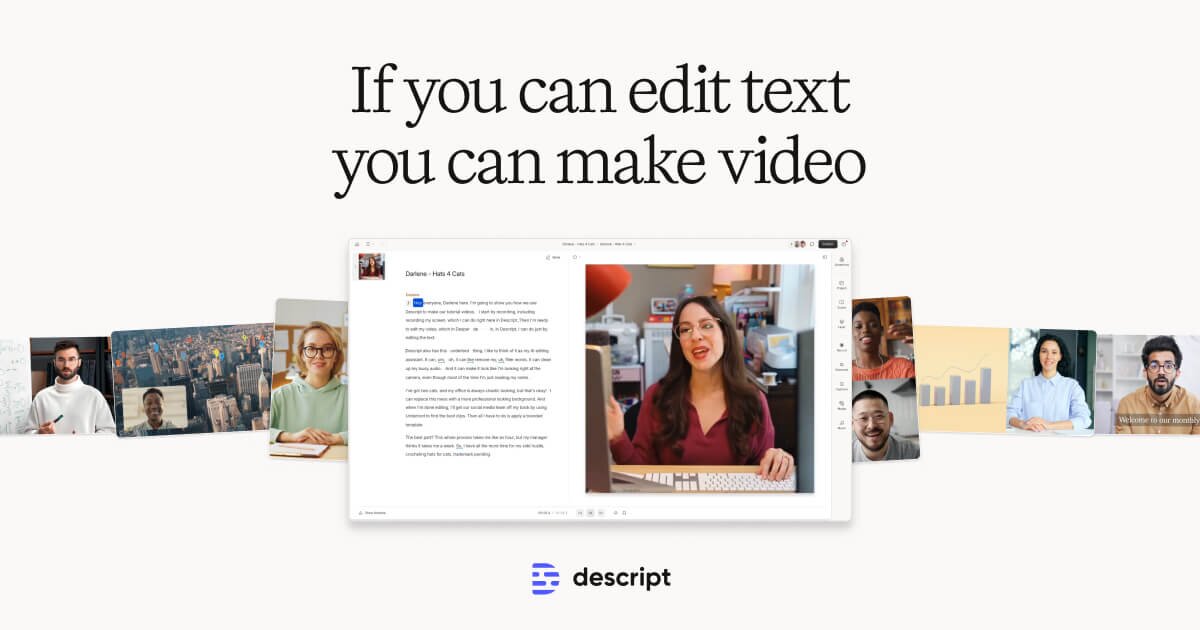
Descript Review (2026): Features, Pricing & Verdict
Edit video and podcasts as easily as editing a document.
Excellent — in AI Video
Editorial assessment · scored on the same six criteria
Quick verdict
Descript is ideal for content creators prioritizing efficient, text-based audio/video editing. Its standout strength is simplifying complex tasks, making it a strong fit for podcasters and YouTubers. We rate it 4.5/5.
Is Descript worth it? Short answer
- 1Best for: Transcription, Video generation.
- 2Best feature: Text-based audio and video editing.
- 3Free plan: Our records list paid plans only — check the official pricing page for any free tier or trial.
- 4Worth paying for? Yes — it earns its price for the use case above.
- 5Our rating: 4.5/5 (Excellent).
What is Descript?
Descript is an AI-powered platform for editing audio and video content, designed to make the process as intuitive as editing text documents. Users can record, transcribe, edit, and publish their media within a single tool. It integrates features like automatic transcription, AI-driven sound and video enhancements, and tools for generating media, allowing for a streamlined content creation workflow.
This tool is best suited for content creators, podcasters, marketers, and teams looking to produce video and audio content efficiently. Its standout strength lies in its text-based editing paradigm, which simplifies complex media manipulation. While powerful for many use cases, users requiring highly specialized, frame-by-frame video effects or advanced color grading might find dedicated video editing software more suitable.
Key features
- Text-based audio and video editing
- Automatic transcription with high accuracy
- AI-powered audio and video enhancement
- Screen recording and remote recording
- Voice cloning and stock AI voices
- Automated captions and subtitles
How it scores
Pros & cons
PROS
- Simplifies complex audio/video editing through text interface
- Integrates recording, editing, and publishing in one platform
- AI features automate many production tasks
CONS
- May have a learning curve for users accustomed to traditional editors
- Advanced visual effects capabilities are not its primary focus
- Reliance on internet connection for some AI features
Pricing
Paid plans only. Prices last checked Jul 4, 2026 — confirm current pricing on the official site.
Who it’s for
✓ Pick it if
You should pick Descript if you need a streamlined, AI-assisted workflow for editing spoken-word content and desire a unified platform for recording and publishing.
✗ Skip it if
You should skip Descript if your primary need is advanced visual effects or highly granular, frame-by-frame video manipulation, and consider traditional NLEs instead.
Descript alternatives
Frequently asked questions
Is Descript worth the investment for a small content creator?+
Does Descript offer a free plan or trial period?+
How does Descript compare to traditional video editing software like Adobe Premiere Pro?+
The bottom line
Descript redefines content production by transforming audio and video editing into a text-based process, significantly boosting efficiency for podcasters, educators, and marketers. While not a replacement for high-end visual effects suites, its integrated recording, AI enhancements, and transcription capabilities offer a compelling, all-in-one solution for spoken-word content creation.
Get the verdict before you pay.
One short, no-hype email a month — the AI tools actually worth your money.
Independently assessed by AI Tools Worth on documented capabilities, pricing and reputation — scored on the same six criteria (editorial assessment, not hands-on). We may earn a commission from some links — it never affects the score. Prices last checked Jul 4, 2026; always confirm current pricing on the official site.